Tinkering with the GeekMagic SmallTV: Firmware Recovery, Serial Hacks, and Home Assistant Integration
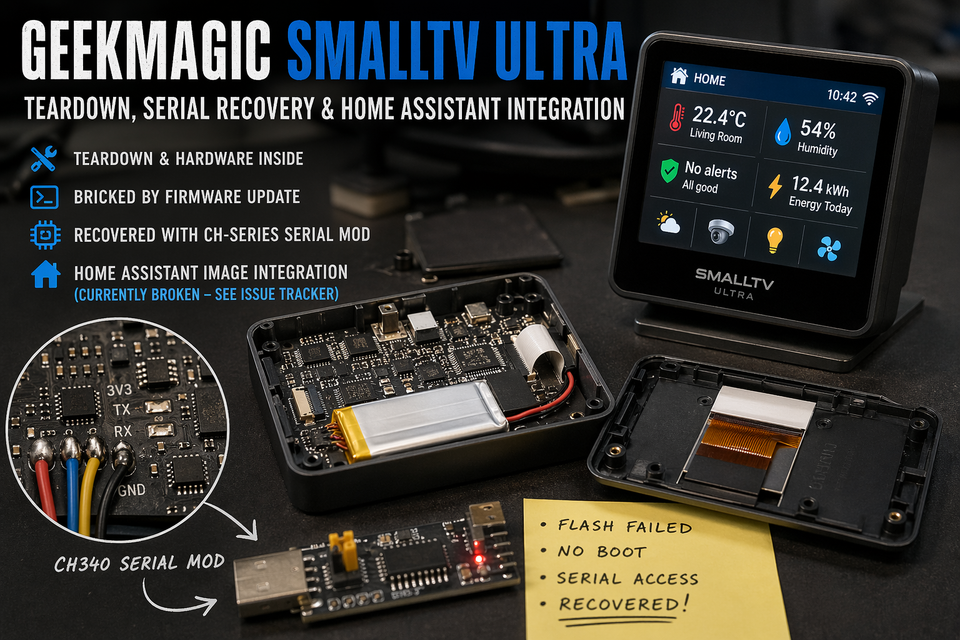
There’s something uniquely satisfying about taking a small, polished consumer gadget and peeling back the layers to see what it can really do. The GeekMagic SmallTV—especially the Ultra variant - is one of those devices that practically invites experimentation. What starts as a quirky little display quickly turns into a full-blown hacking project once you try to bend it to your will.
This post walks through my journey: from tearing down the hardware, to recovering a failed firmware flash using a CH340C serial interface, and finally integrating it with Home Assistant -until things (temporarily) broke.
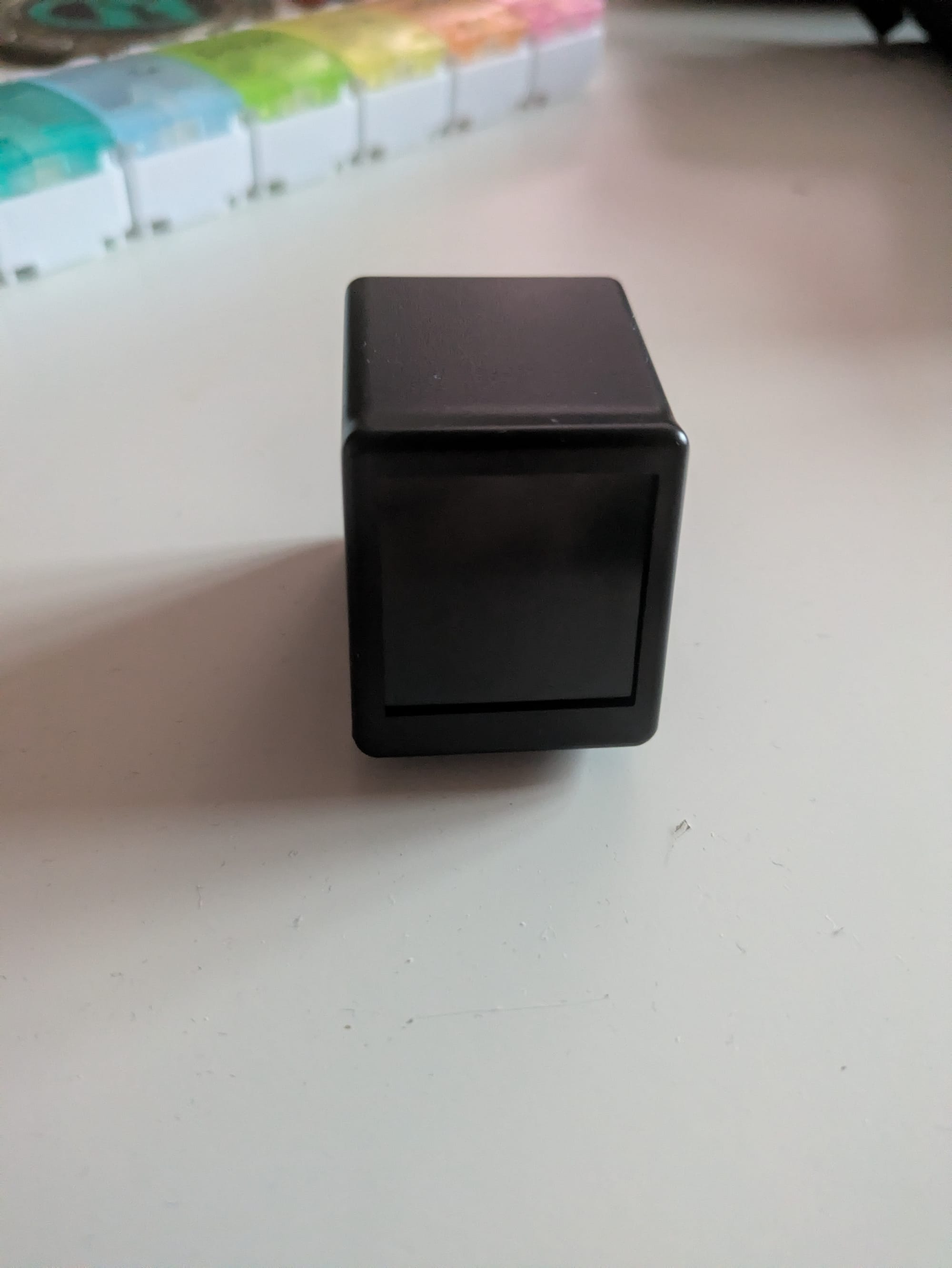
First Impressions: A Tiny Display with Big Potential
Out of the box, the SmallTV Ultra is a neat little gadget—a compact screen designed to show system stats, weather, or custom dashboards. It’s clearly aimed at enthusiasts, but like many devices in this category, the stock firmware only scratches the surface of what’s possible.
Naturally, that led me to ask: what else can this thing do?
Opening It Up: Hardware Teardown
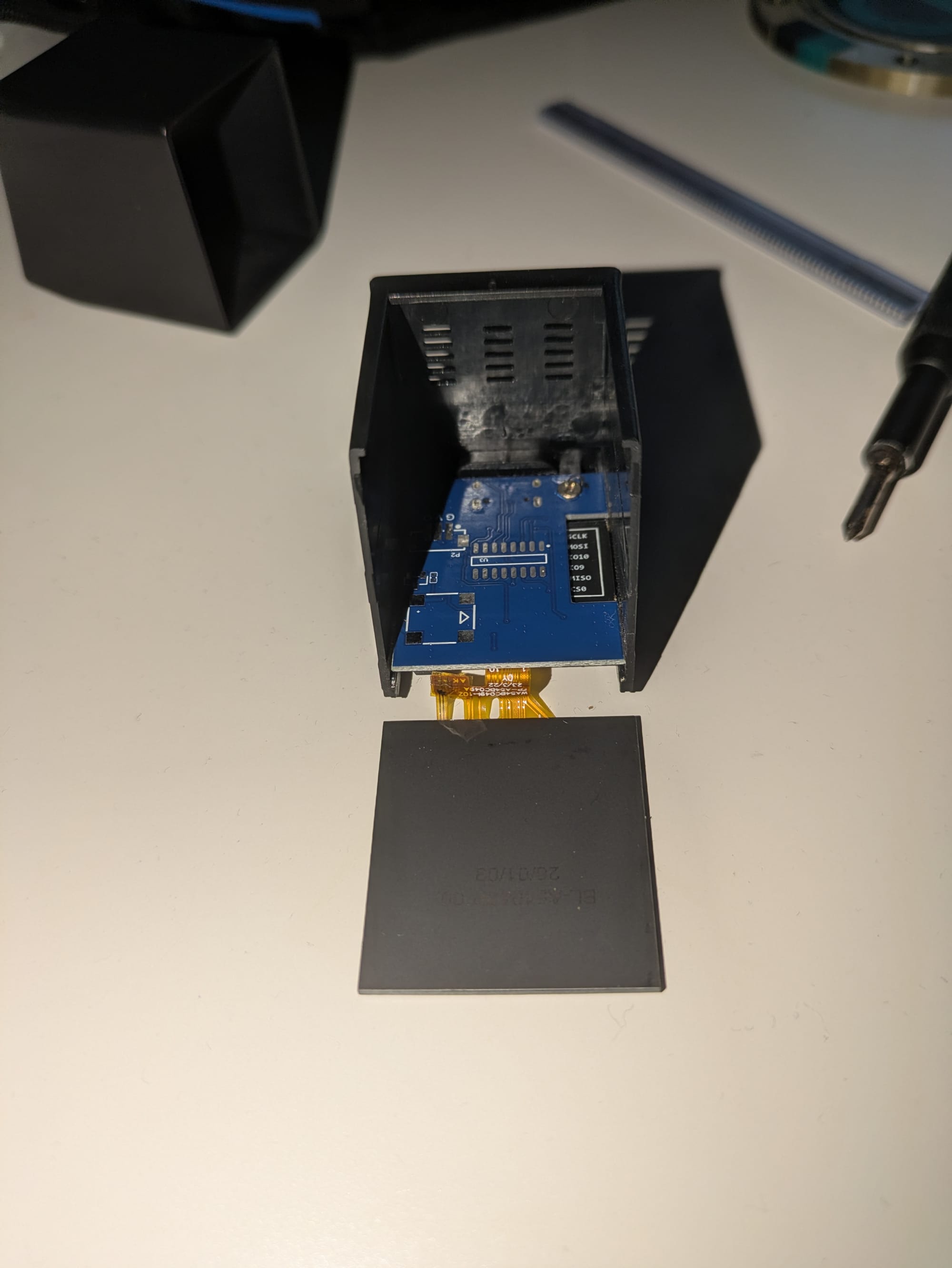
Curiosity won quickly. I cracked open the unit to get a look inside and document the internals. The case is secured with 2 screws, with a further screw holding the PCB in place.
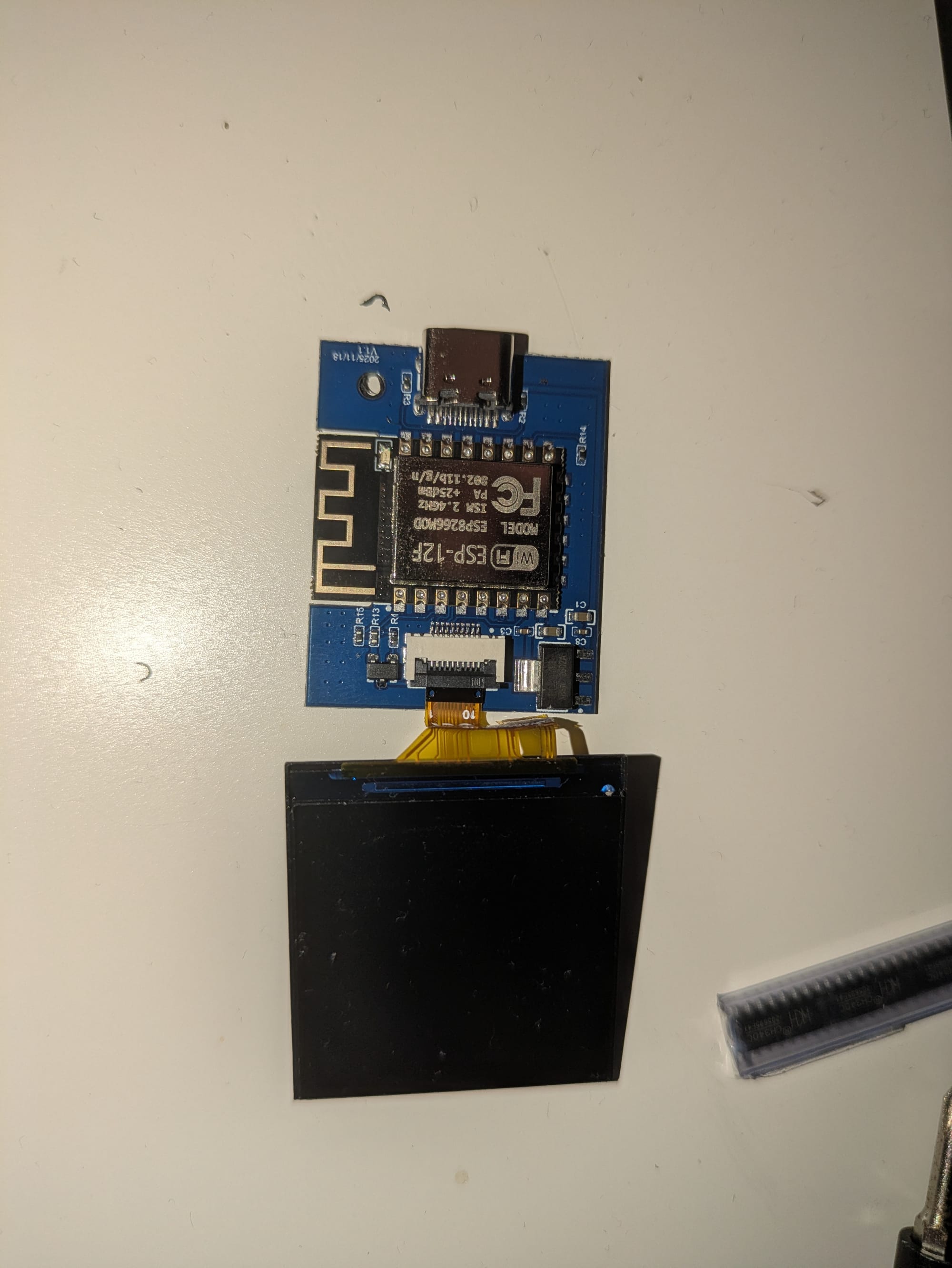
The construction is fairly straightforward, with a compact PCB driving the display and a minimal set of supporting components. The design feels cost-optimized but not sloppy - everything is accessible enough that you can realistically modify it without specialized tools.
During teardown, I also took a close look at the display module itself. Removing the mini display revealed how tightly integrated everything is, but also hinted at where access points for debugging or flashing might exist.
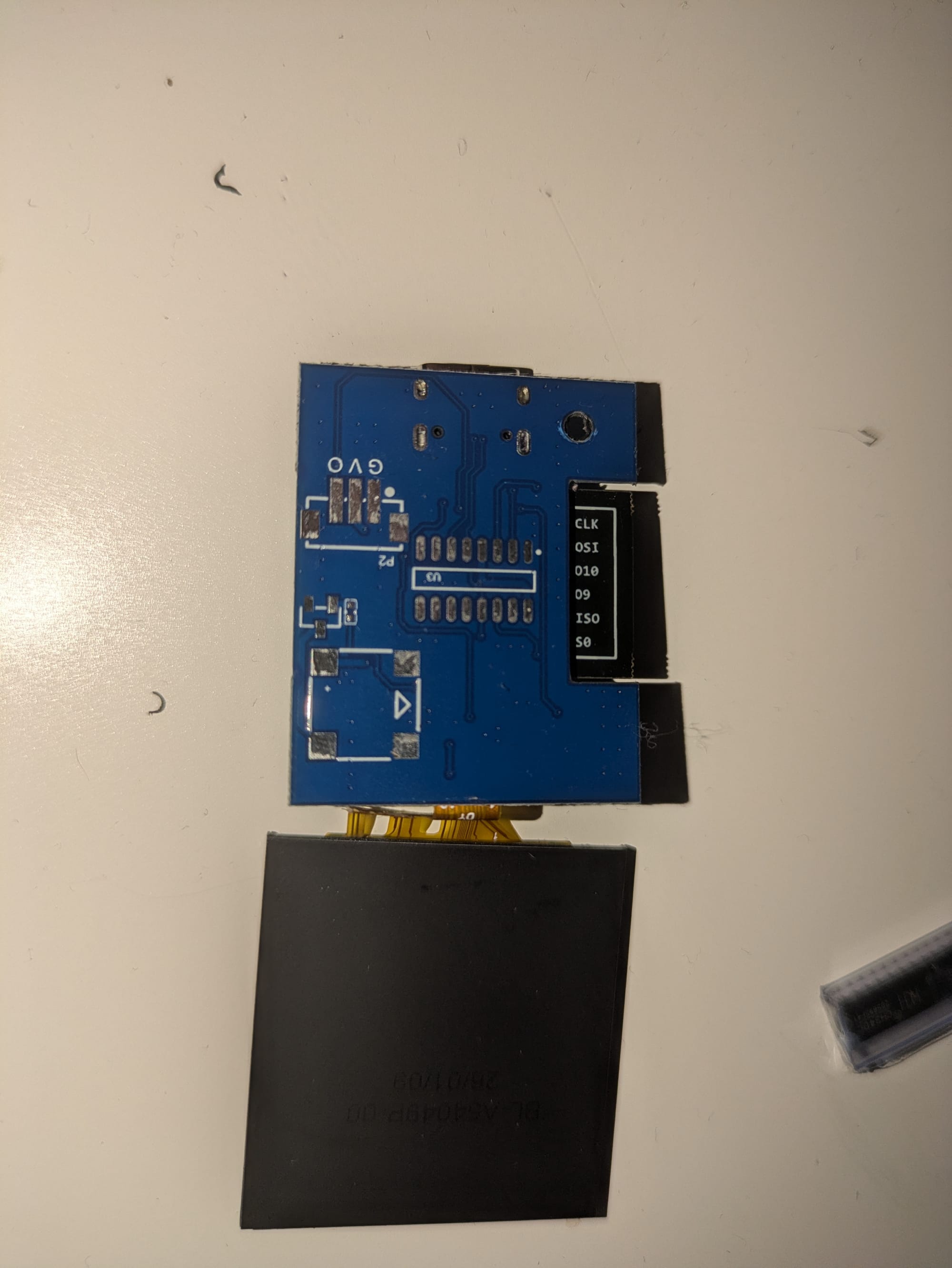
Firmware Update Gone Wrong
Like many good projects, things went sideways during what should have been a routine step: updating the firmware.
The flash process failed partway through, leaving the device in a non-booting state. No display output, no recovery mode—effectively bricked.
At this point, there are two options:
- Accept defeat.
- Break out the soldering iron.
Recovery via Serial: Adding a CH340C Interface
I went with option two.
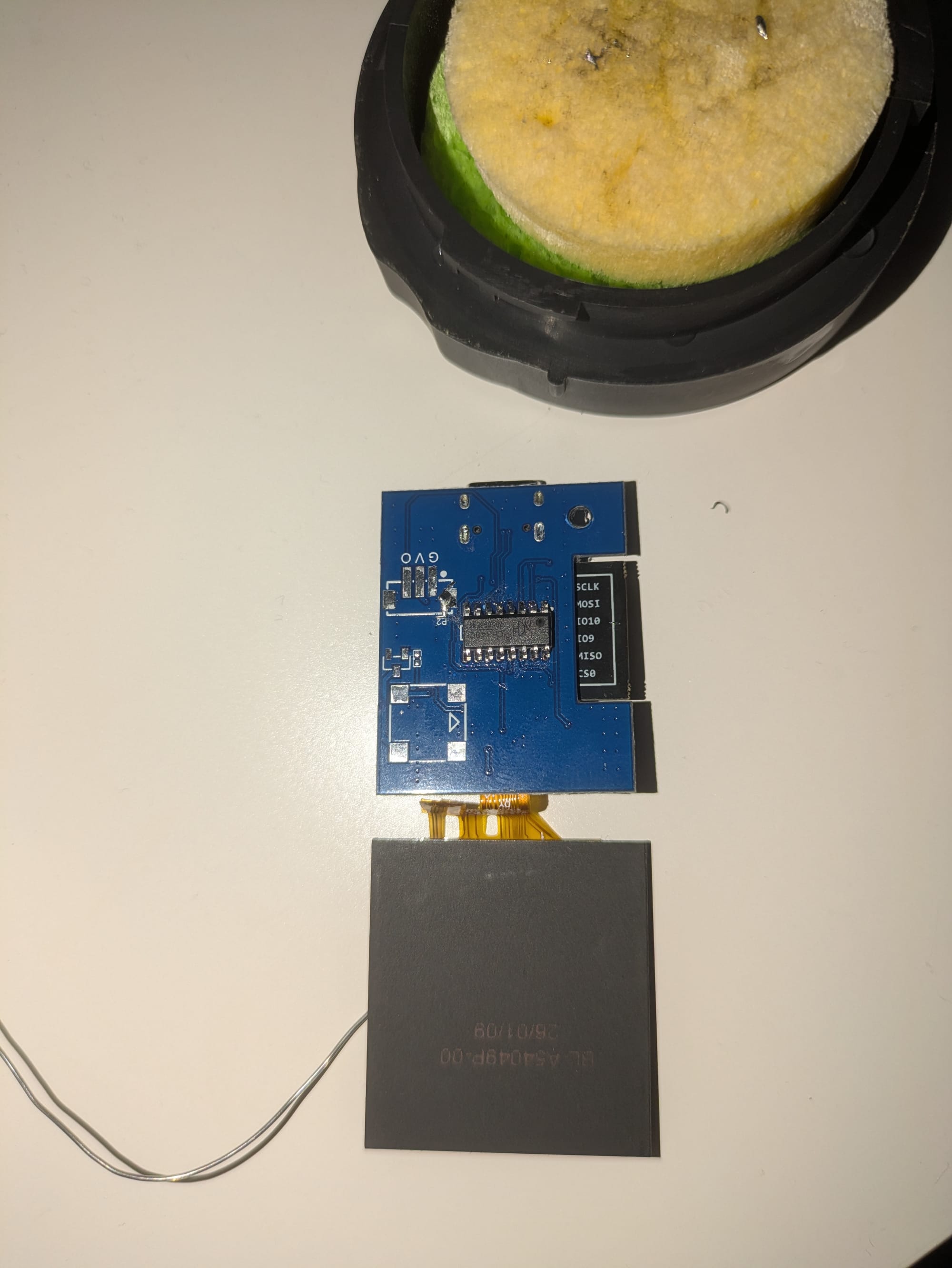
After identifying the relevant pins on the board, I soldered on a CH340C USB-to-serial interface (I purchased mine from Aliexpress). This provided direct access to the device’s serial console and flashing interface.
Once connected, I was able to:
- Establish a serial connection to the device
- Interrupt the boot process (where possible)
- Re-flash the firmware manually
This step turned out to be the key to recovering the device. Without serial access, it would likely have remained unusable.
A few notes if you’re attempting something similar:
- Double-check voltage levels (3.3V vs 5V—don’t guess)
- Confirm TX/RX orientation (and be ready to swap them)
- Secure your solder joints—these pads are not forgiving
Bringing It Back to Life
After a bit of trial and error, the firmware flash finally completed successfully. The device booted again, and the display came back to life.
At this point, I had something better than stock: a recoverable, hackable device with direct debug access.
Home Assistant Integration
With the hardware side sorted, the next step was making the SmallTV actually useful.
I set up a Home Assistant integration that allows pushing images directly to the display. This opens up a ton of possibilities:
- Custom dashboards
- Camera snapshots
- Status panels
- Dynamic visual alerts
Getting it working was surprisingly straightforward:
- Install the integration
- Configure the device endpoint
- Send image data from Home Assistant
And just like that, the SmallTV became a tiny, dedicated smart display.
The Catch: Current Integration Issues
Unfortunately, things aren’t perfect right now.
The image integration is currently broken due to an open issue in the project’s tracker. Depending on your setup, you may see:
- Failed image pushes
- Display not updating
- Partial rendering or timeouts
So while the concept works - and worked for me initially - it’s not stable at the moment.
If you’re planning to replicate this:
- Check the issue tracker before diving in
- Be prepared to pin to older versions or apply patches
- Consider alternative methods (e.g., static images or different endpoints) as a temporary workaround
Final Thoughts
This project turned a simple desk gadget into a genuinely flexible display system - with a few battle scars along the way.
Key takeaways:
- The SmallTV Ultra is surprisingly hackable
- Serial access is a lifesaver when firmware updates fail
- Home Assistant integration adds real value, even if it’s currently a bit fragile
Most importantly, it’s a reminder that even small devices can offer big opportunities for experimentation - especially when you’re willing to open them up and take a risk.
What’s Next?
If the integration gets fixed, I’m planning to:
- Build a rotating dashboard system
- Add real-time notifications (doorbell, sensors, etc.)
- Explore custom firmware options
And if things break again… well, at least the serial header is already in place.
If you’ve done similar mods or found a workaround for the current integration issue, I’d be interested to hear about it.
About the author
Tim Wilkes is a UK-based security architect with over 15 years of experience in electronics, Linux, and Unix systems administration. Since 2021, he's been designing secure systems for a telecom company while indulging his passions for programming, automation, and 3D printing. Tim shares his projects, tinkering adventures, and tech insights here - partly as a personal log, and partly in the hopes that others will find them useful.
Want to connect or follow along?
LinkedIn: [phpsytems]
Twitter / X: [@timmehwimmy]
Mastodon: [@timmehwimmy@infosec.exchange]
If you've found a post helpful, consider supporting the blog - it's a part-time passion that your support helps keep alive.
⚠️ Disclaimer
This post may contain affiliate links. If you choose to purchase through them, I may earn a small commission at no extra cost to you. I only recommend items and services I’ve personally read or used and found valuable.
As an Amazon Associate I earn from qualifying purchases.