One Login to Rule Them All: Federating FreeIPA into Authentik
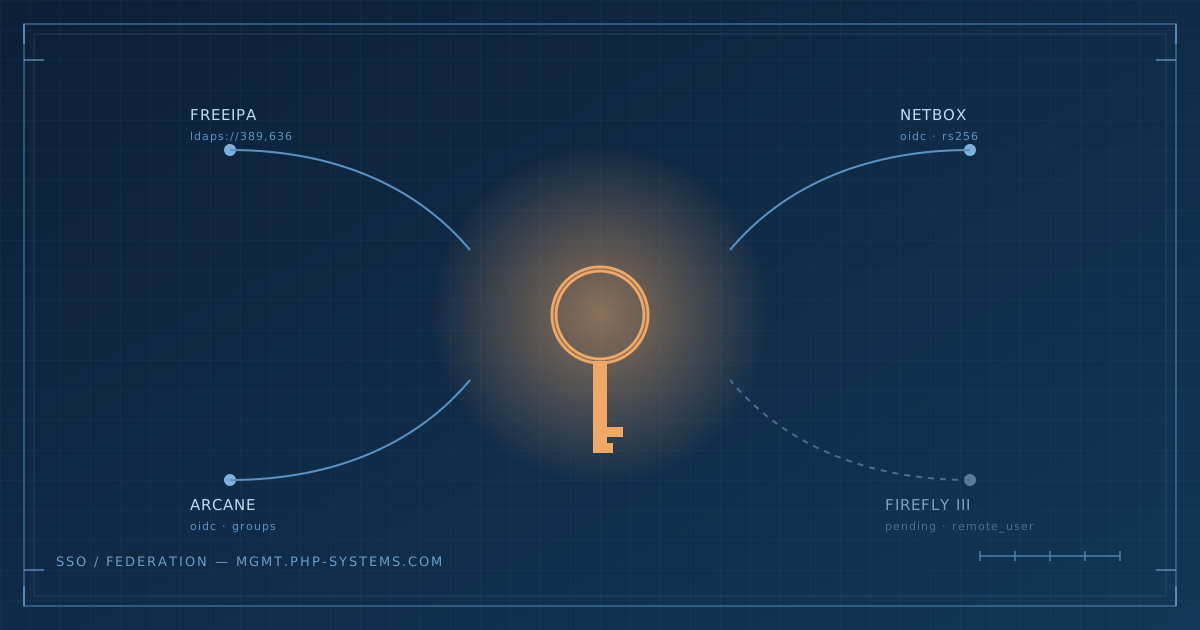
I've had FreeIPA quietly running my internal LDAP for years, but every other service in the lab has stubbornly kept its own login. NetBox, Arcane, the blog itself - all separate passwords, all separate MFA setups, all separate places for me to eventually get locked out of at 11pm on a Tuesday. So the plan was simple: stand up Authentik next to FreeIPA, federate the two, and get single sign-on across the estate. Simple plans, as ever, lasted about four minutes.
The container stack itself went up without much fuss - podman-compose, the usual server/worker/Postgres trio (Redis got dropped from the stack entirely as of a recent release, which I only discovered after going looking for a container that was never going to exist and feeling faintly unhinged about it for a bit). The first real snag was Postgres refusing the worker's password on every boot, which turned out to be the classic first-init gotcha: change the password in your .env after the volume's already been created and Postgres just... doesn't care. It set its password once, at birth, and nothing short of wiping the volume or manually ALTERing the role will change its mind.
Fix it: if Postgres and your.envdisagree, don't keep editing.env- either wipe the Postgres volume for a clean re-init, or connect directly and runALTER USER authentik WITH PASSWORD '...'to match what your app config actually expects.
Then the network started complaining. NetworkManager began logging IPv6 duplicate address detection failures on the FreeIPA host, backing off its link-local address entirely, which is the kind of warning that looks cosmetic right up until it isn't. Turned out I had two LXC containers on the same VLAN sharing an identical MAC address - one was the real FreeIPA box, the other was a scratch container I'd spun up to restore an old Authentik database into, and I'd apparently either cloned it badly or Proxmox had opinions of its own. Deleted the scratch container, collision gone, IPv6 behaved itself again. Mildly satisfying in the way that only "I found the actual root cause and it was exactly what I suspected" can be.
Fix it: persistent IPv6 DAD backoff on one host, no clones involved? Check bridge fdb show | grep <mac> on the Proxmox host - if the same MAC shows up learned on more than one interface, you've got a genuine duplicate somewhere on that VLAN, not a flaky NIC.Getting a certificate everyone's browser would trust without installing anything custom meant DNS-01 through Cloudflare via acme.sh rather than leaning on FreeIPA's own internal CA - nobody's laptop trusts that by default, and I wasn't about to start pushing custom root certs around just to get a padlock. That went fine, right up until Chrome decided to keep showing me a security warning for a hostname that curl swore was serving a perfectly valid chain. Incognito worked immediately. Regular Chrome held a grudge for reasons known only to itself and possibly to whichever cache I'd polluted testing the self-signed cert an hour earlier.
Fix it: ifcurl -vsays the chain is clean but the browser still won't show a padlock, it's almost always stale local state, not the cert. Try incognito first - if that works, clear the domain atchrome://net-internals/#hstsrather than doubting the certificate.
Wiring up NetBox and Arcane for OIDC login was the fun bit, in the sense that it mostly worked and taught me things I hadn't had to think about before. Redirect URIs need to match character for character - NetBox was appending an explicit :443 that I hadn't bothered registering, Arcane's callback path wasn't where I'd guessed it would be, and Authentik's error page for a mismatch is refreshingly specific once you know to decode the URL rather than squint at it.
Fix it: don't guess the callback path. When you hit a redirect URI error, the failing request URL itself contains the exact redirect_uri the app sent - URL-decode it and paste that verbatim into the provider's Redirect URI field instead of trusting a generic example from documentation. Less fun was discovering that Authentik's default signing algorithm, left unset, is HS256 - a symmetric algorithm with nothing to publish at the JWKS endpoint, which meant NetBox's login was quietly failing on a KeyError trying to index into a key that was never going to exist. Swap the provider to an RS256 signing key and the whole problem evaporates, but good luck guessing that's the fix from the error message alone.Fix it: always explicitly set a signing key on new OAuth2/OIDC providers. Left blank, Authentik defaults to HS256, which publishes nothing at/jwks/- and any client expecting to verify a signature against that endpoint (NetBox included) fails with a crypticKeyErrorrather than an obvious auth error.
Firefly III was the one exception. No native OIDC support — there's an open feature request for it, filed the better part of a year ago and still open — so that one needs Authentik acting as a forward-auth proxy in front of it instead, passing identity through a header rather than a token. Different mechanism entirely, and one I'm deliberately holding off on until the HAProxy pair I'm building is actually in place, rather than bolting together two half-finished bits of infrastructure and hoping they meet in the middle nicely.
Passkeys were the pleasant surprise in all this. Enrolling one as an MFA factor took about ninety seconds and immediately made logging in less annoying. Going further and making login skip the password field entirely for anyone with a passkey enrolled needed an actual flow edit - an Expression Policy checking for a confirmed WebAuthn device, bound to the Password stage so it only runs when there isn't one. I built and tested it as a completely separate flow first rather than editing the live one directly, on the theory that discovering a mistake in your authentication flow is much less alarming when it's sitting at its own URL rather than being the only thing standing between you and your own admin panel. Shipped it via a blueprint YAML file rather than the UI import button, mostly because the import button gave me a 405 for reasons I never did get to the bottom of, and the filesystem approach turned out to be more reliable anyway - drop a file in, Authentik watches the directory and applies it. Much more agreeable than fighting a browser cache and an API endpoint that apparently disagreed about what methods it accepted.
Fix it: if a blueprint import throwsFieldError: Cannot resolve keyword 'slug', check what fields the model actually has - stages are looked up byname, notslug, and the traceback lists every valid field if you read past the first line instead of assuming.
End state: FreeIPA users log into Authentik with a passkey where they've bothered to set one up, and that identity now gets them into NetBox and Arcane without a second password in sight. Firefly III's still on the old system for now. HAProxy, a proper WAF, and Firefly's forward-auth setup are next - but that's a different week's problem.
About the author
Tim Wilkes is a UK-based security architect with over 15 years of experience in electronics, Linux, and Unix systems administration. Since 2021, he's been designing secure systems for a telecom company while indulging his passions for programming, automation, and 3D printing. Tim shares his projects, tinkering adventures, and tech insights here - partly as a personal log, and partly in the hopes that others will find them useful.
Want to connect or follow along?
LinkedIn: [phpsytems]
Twitter / X: [@timmehwimmy]
Mastodon: [@timmehwimmy@infosec.exchange]
If you've found a post helpful, consider supporting the blog - it's a part-time passion that your support helps keep alive.
⚠️ Disclaimer
This post may contain affiliate links. If you choose to purchase through them, I may earn a small commission at no extra cost to you. I only recommend items and services I’ve personally read or used and found valuable.
As an Amazon Associate I earn from qualifying purchases.